Run the well,
not the spreadsheet.
Borestack™ keeps every well’s AFE, daily reports, cost and time against plan, surveys and as-run schematic in one place. The rig site, the office and your partners all work from the same numbers.
Made for Nigerian oilfield operators.
Spreadsheets had a good run.
Most marginal field wells still run on a pile of files: the AFE in one workbook, the daily report in another, and a schematic in a slide deck that is three runs out of date. Borestack replaces the pile with one record per well that everyone works from.
AFE_DEMO-4_final_v7_REAL.xlsxDDR_day12 (2).xlsxCosts_vs_AFE_fixed_FINAL.xlsxSchematic_updated_OLD.pptx“Who has the latest survey?”- One well. One record. Same numbers for everyone.
One well, start to finish
Shown on DEMO-4, a fictional land well. Every screen is from the running app.
-
Plan
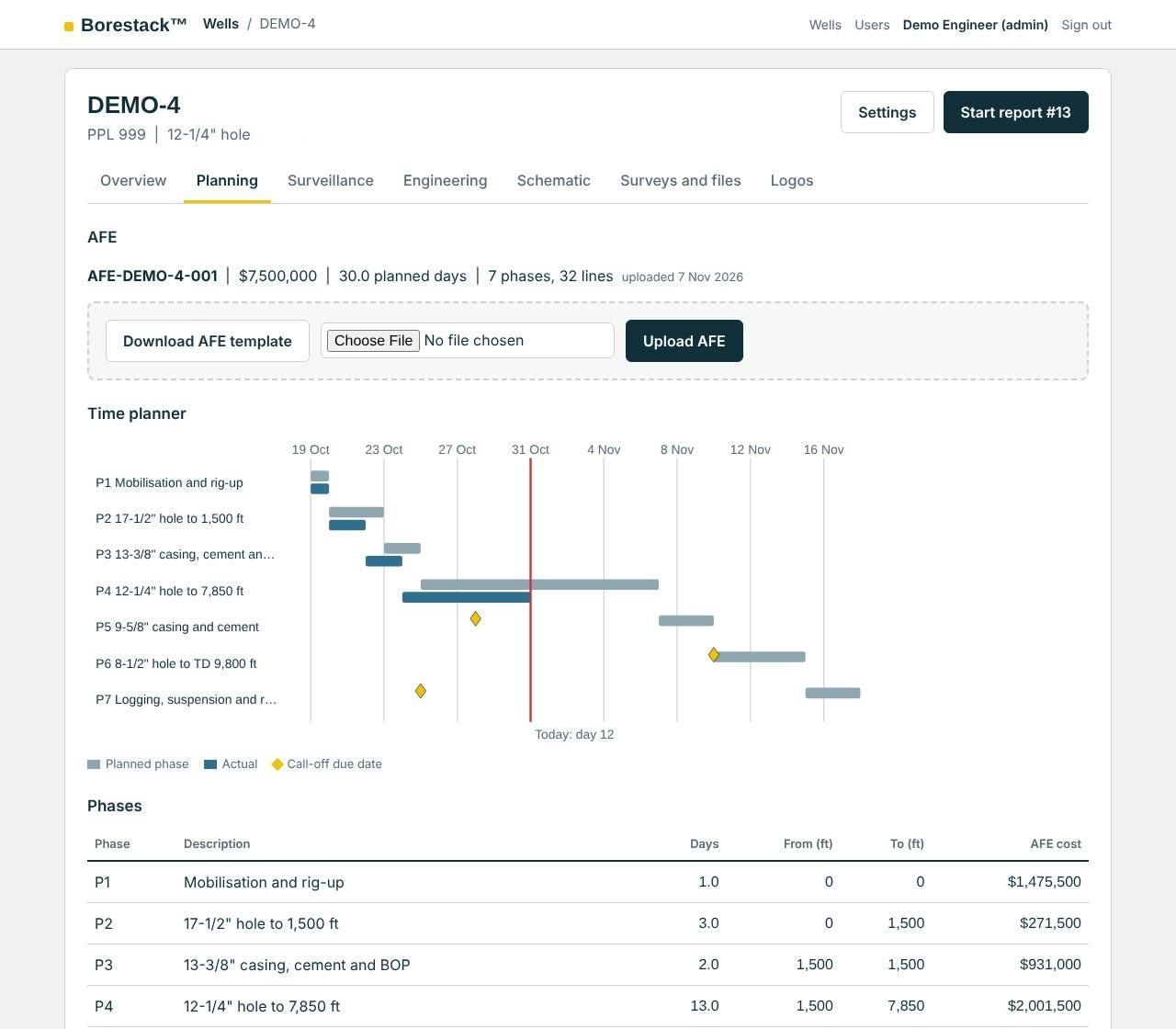
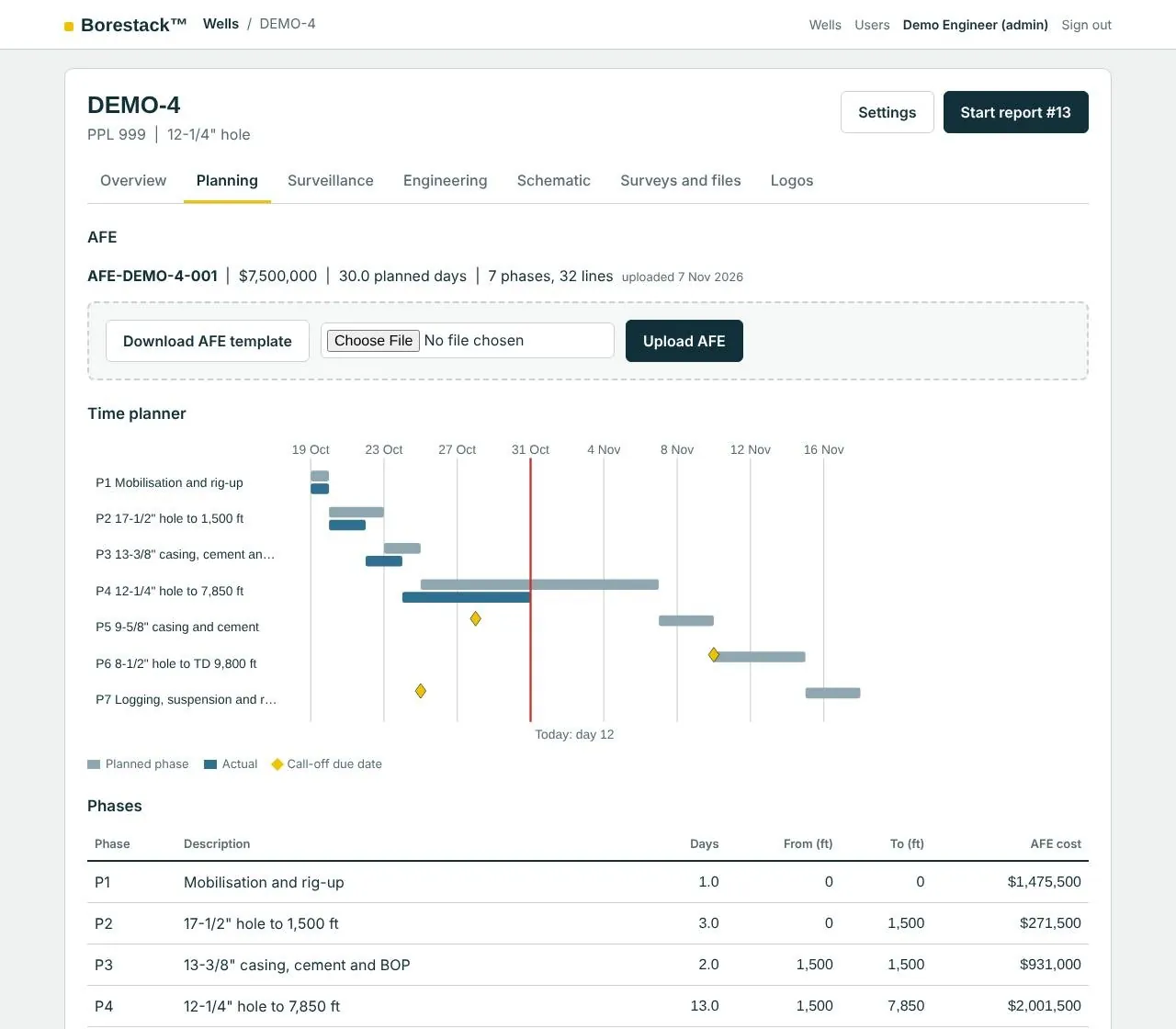
Upload the AFE you already have in Excel. Borestack builds the time planner by phase, marks today, and lines up call-off dates for services and materials.
-
Report
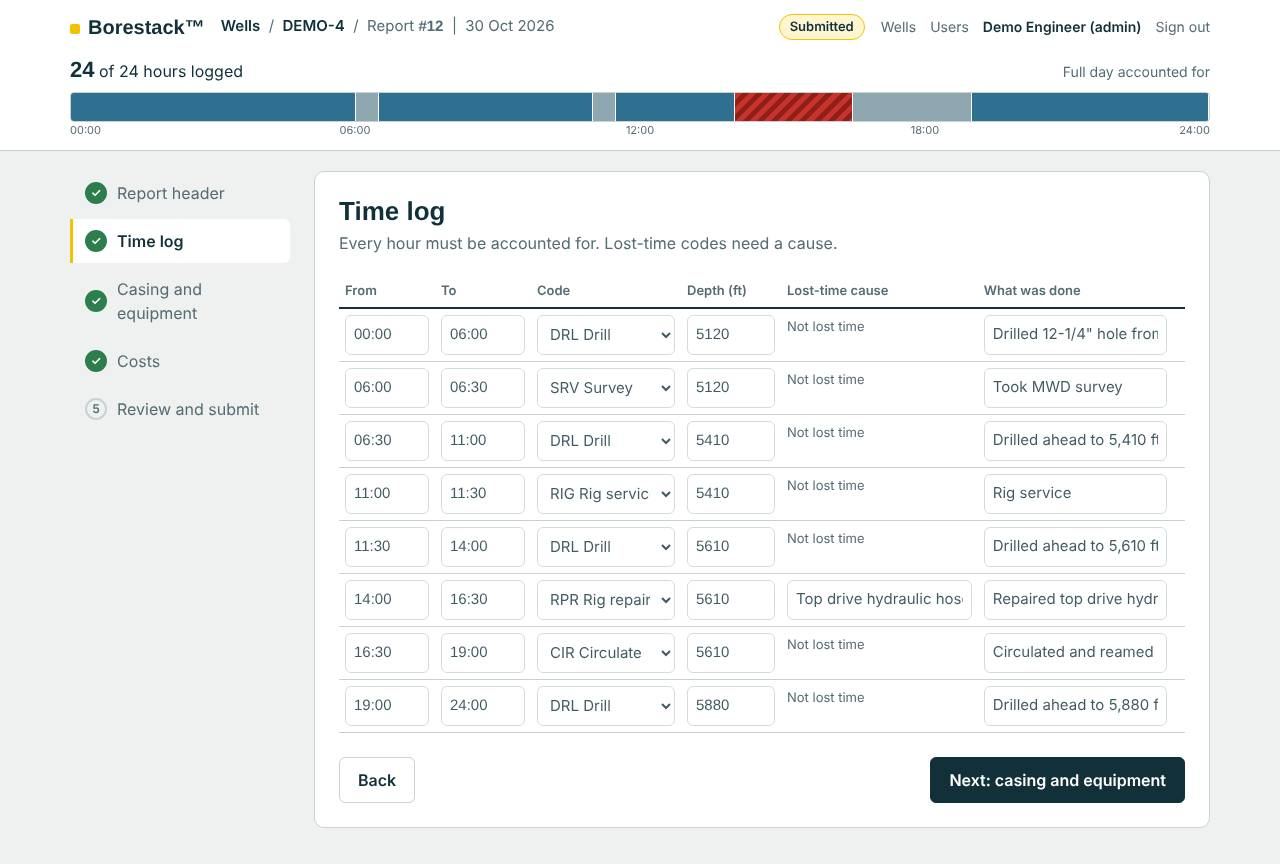
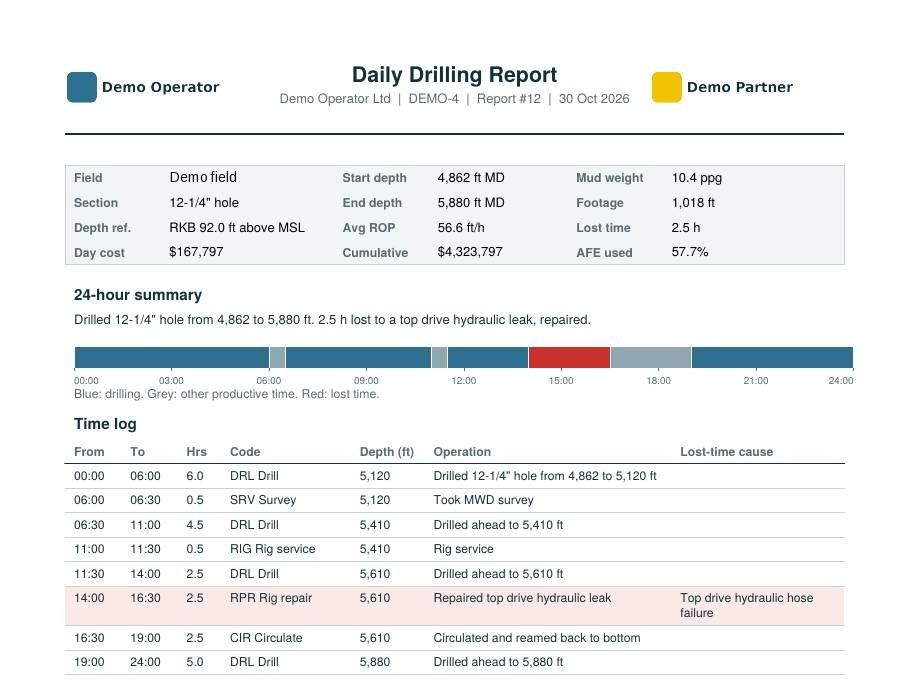
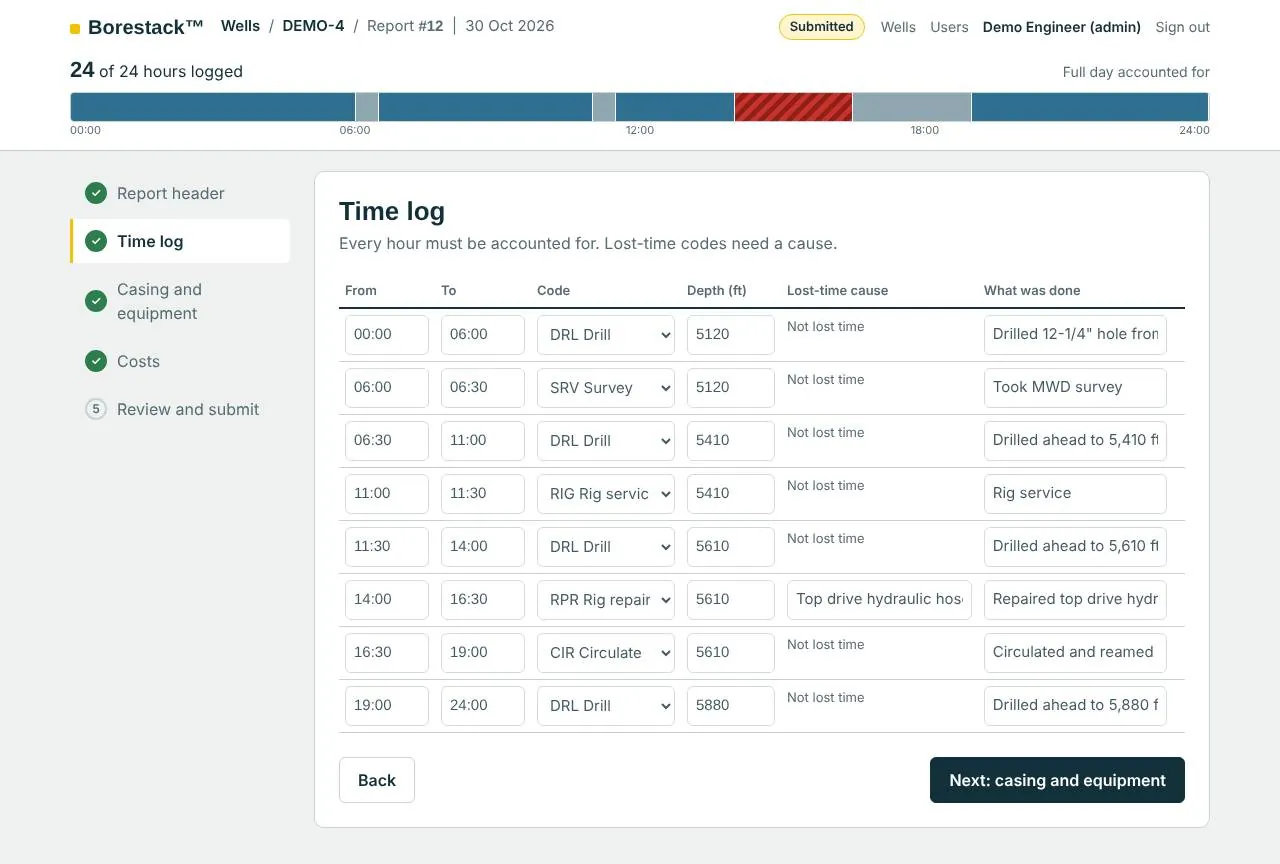
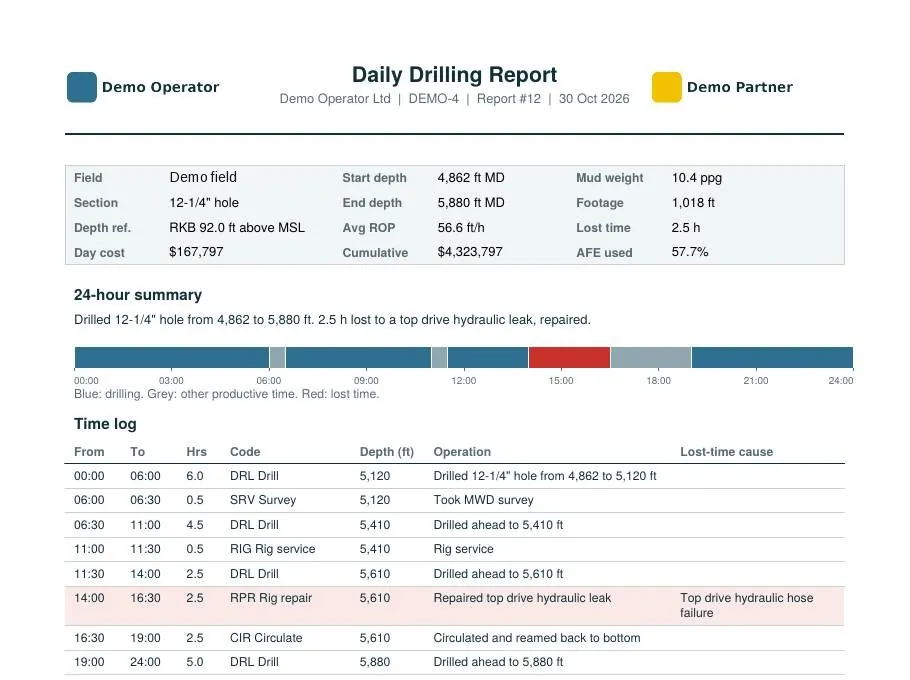
The supervisor accounts for every hour and records the casing and equipment run. The engineer checks the report and approves it, and the PDF prints with your logo and your partner’s.
-
Track
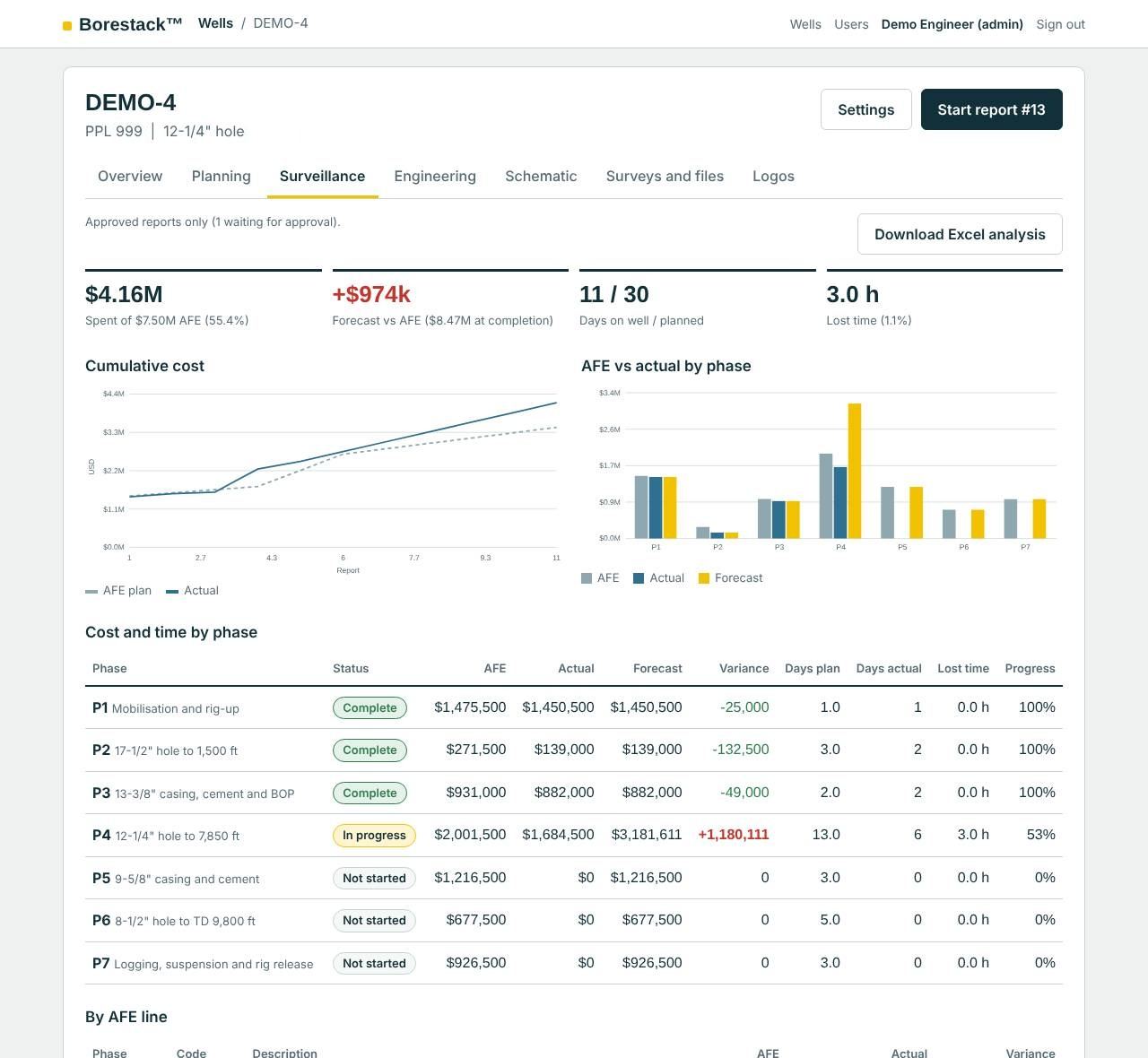
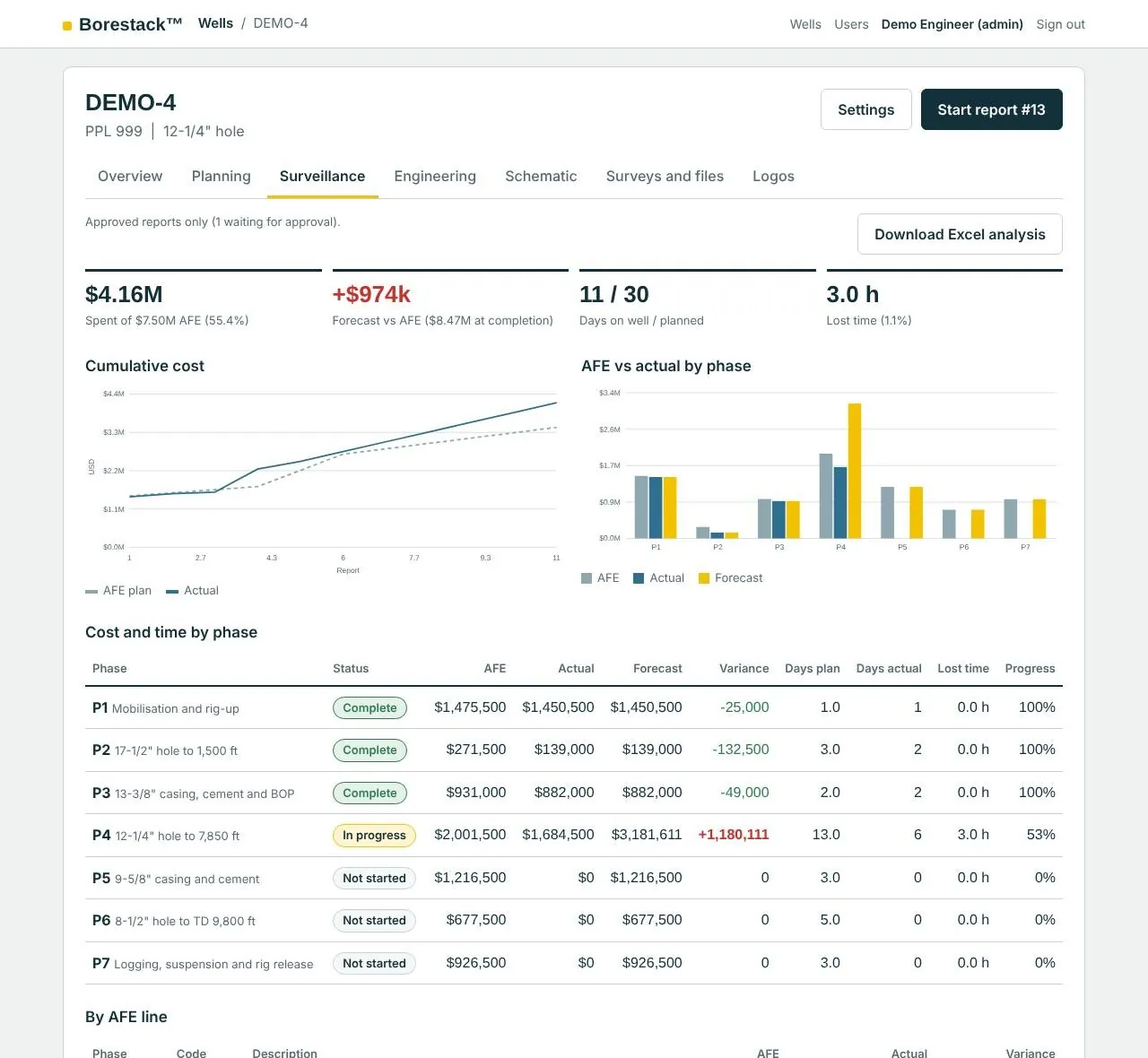
See spend and days against the AFE by phase, the forecast at completion, and depth against days. Check actual surveys against the plan and your tolerances. Export the same view to Excel for the partner meeting.
-
Complete
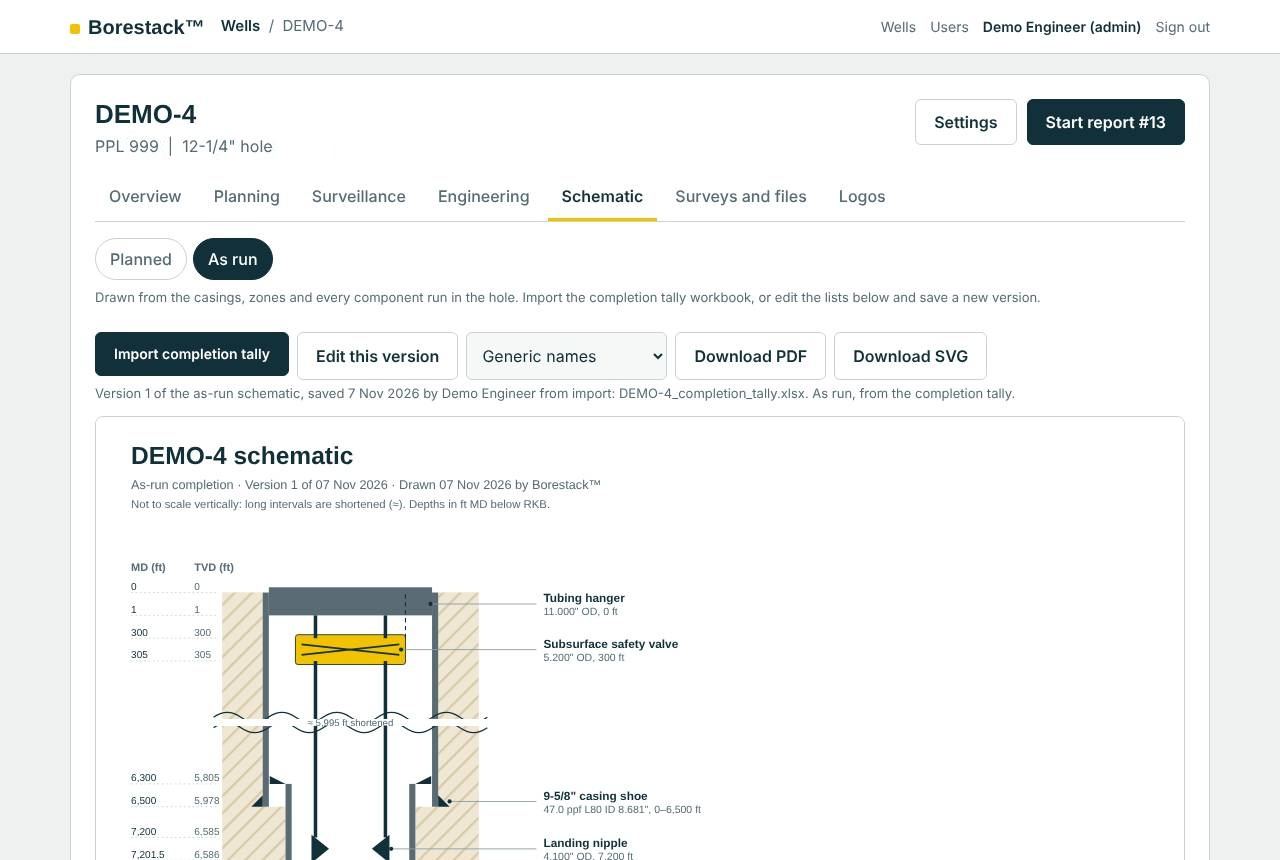
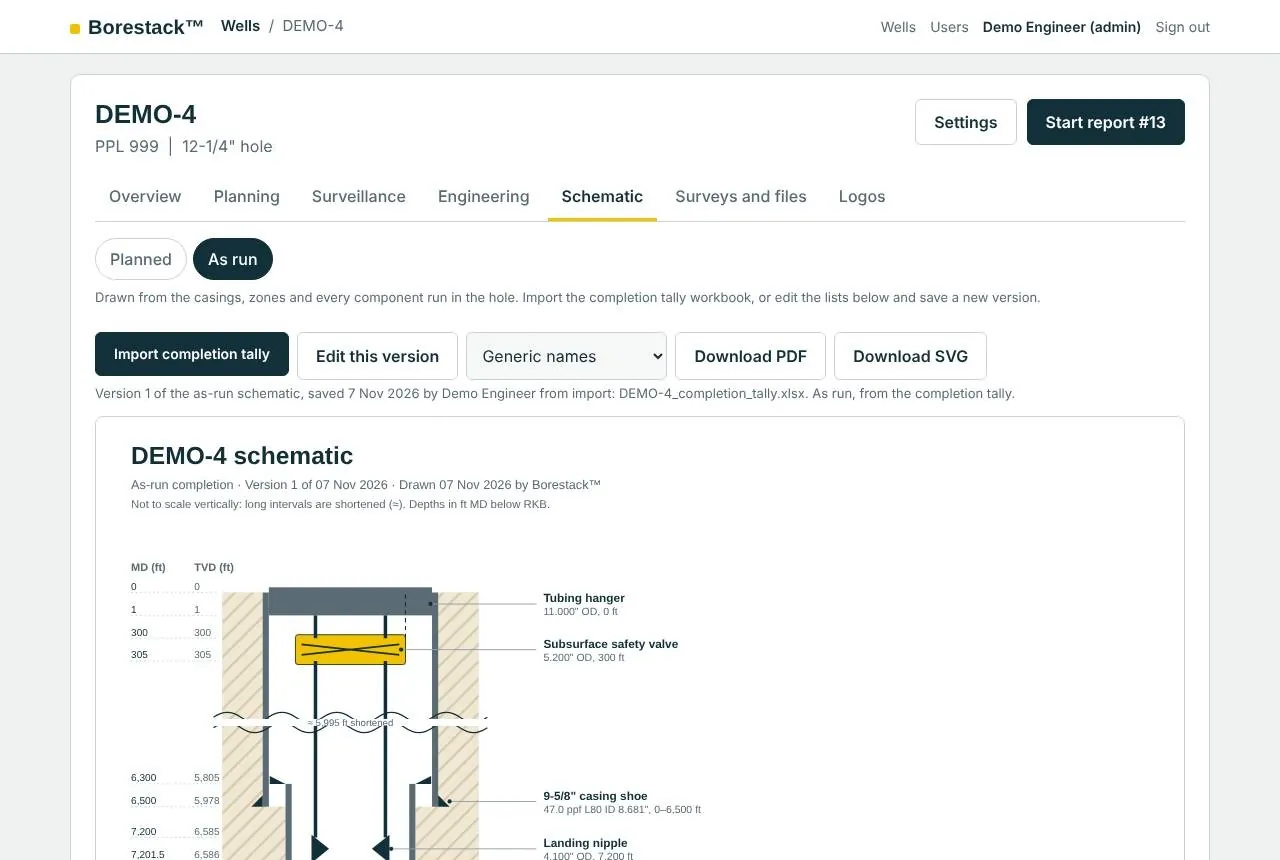
Import the completion tally workbook. Borestack reads every row, asks for any spec the tally doesn’t carry, and draws the as-run schematic from what actually went in the hole, ready as a PDF.
The engineering, built in
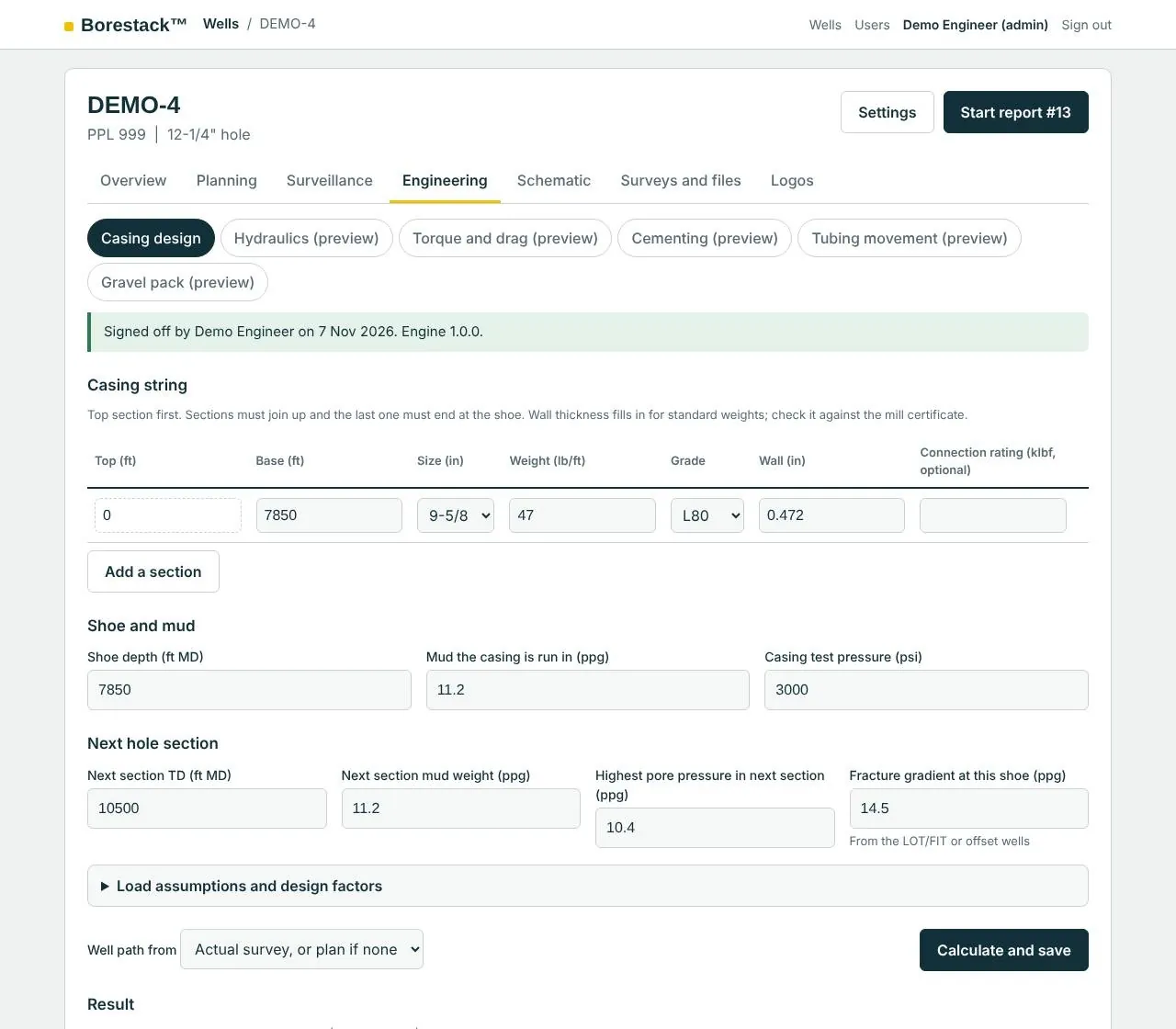
Each calculation runs on the well’s actual survey, or the plan, and is saved with its inputs, results and who ran it.
- Casing design
- Burst, collapse, tension and triaxial checks against your design factors.
- Drilling hydraulics
- Standpipe pressure, ECD, pressure at the bit and HSI.
- Torque and drag
- Hookload and torque for each operation, with buckling flags.
- Cementing
- Slurry volumes, sacks, mix water, displacement and pressure at the bump.
- Tubing movement
- Piston, buckling, ballooning and temperature effects, and the force on the packer.
- Gravel pack
- Gravel, carrier fluid and slurry volumes, filled from the as-run schematic.
Checked before it’s switched on. Every module is verified against API tables, closed-form solutions and real operator worksheets, and stays locked until an engineer signs off its verification pack.
At the rig or in town
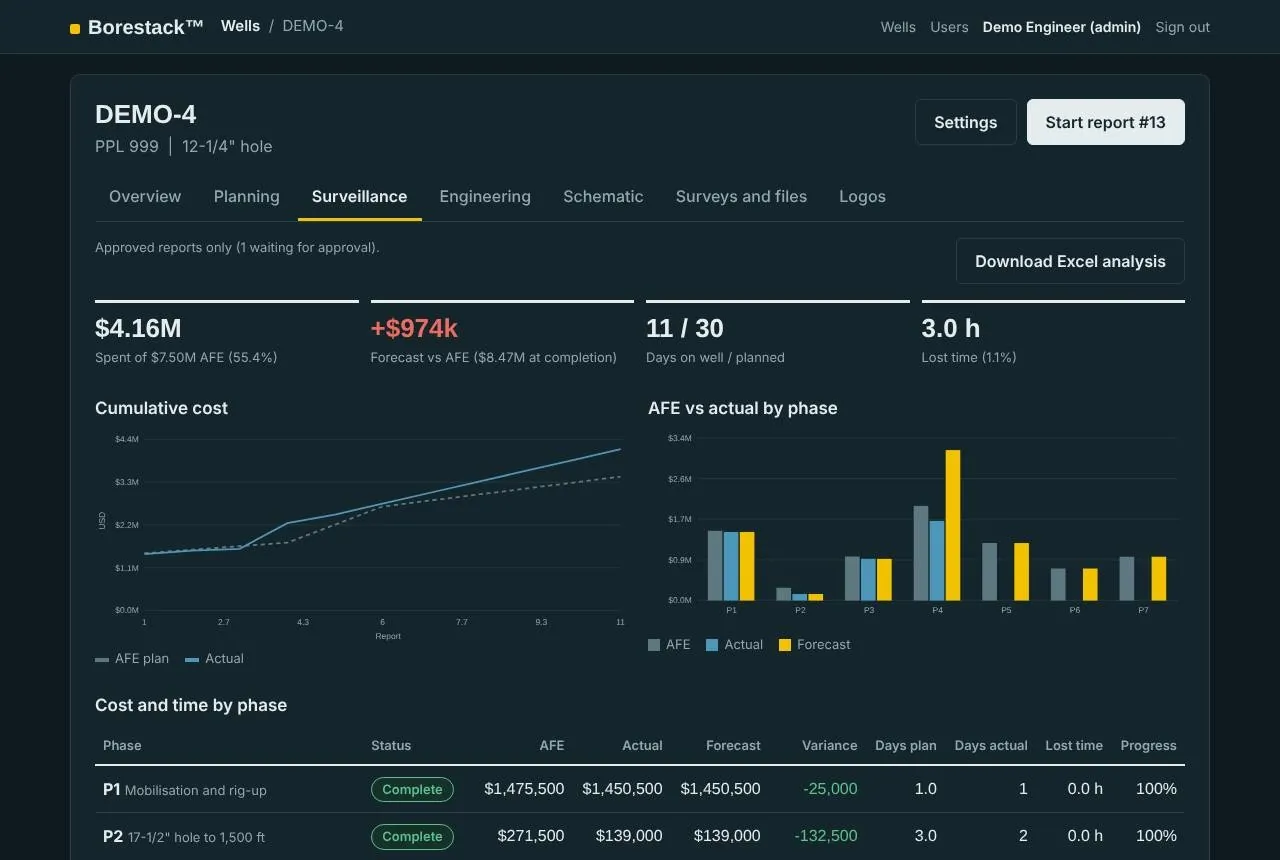
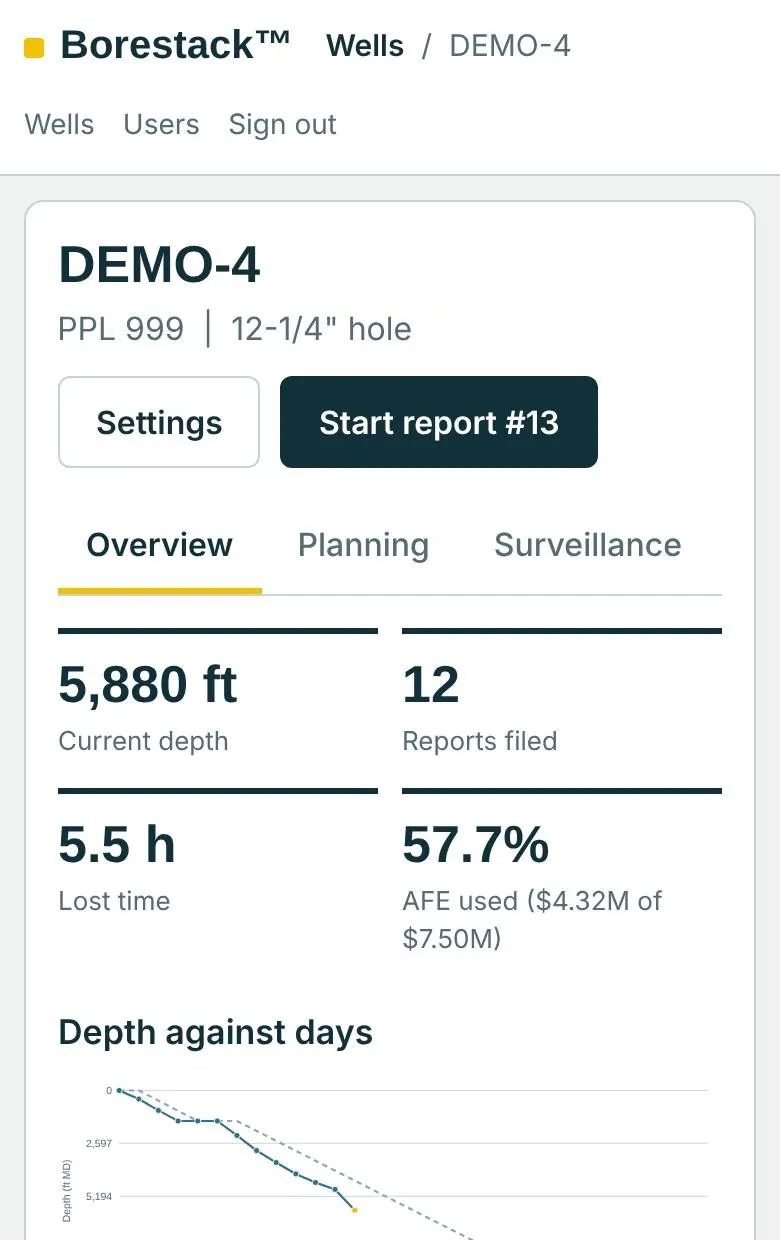
The same app on a phone at the rig and a laptop in the office. Dark mode switches on with your device for the night shift.
Partners and financiers, kept in the loop
Invite a partner or financier to one field. They see that field and nothing else, so you stop emailing reports around.
Your data stays yours
Walled off at the database
Each operator’s data is kept apart by the database itself, not just the app, and tested by trying to reach one operator’s wells from another’s account.
Two-factor sign-in
Engineers and admins sign in with an authenticator app. Five wrong passwords lock an account for 15 minutes.
A record nobody can rewrite
Every change goes into an audit log that the app can add to but never edit.
A locked-down server
HTTPS only, a firewall that opens just the web ports, automatic security updates and encrypted backups every day.
Questions
Who is Borestack for?
Oilfield operators and the people who deliver their wells: asset managers, drilling and completion engineers, rig supervisors, and the partners and financiers who need to see progress.
Can we bring the data we already have?
Yes. AFEs come in from Excel, completion tallies from your tally workbook, and surveys and schematics as files. You don’t retype what you already have.
Who can see our wells?
Only the people you add, with the role you give them: viewer, supervisor, engineer or admin. Partners and financiers see only the field you invite them to.
Does it work on a phone?
Yes. Forms stack into one column and wide tables scroll sideways, so a supervisor can file the daily report from the rig.
What does it cost?
It depends on how many wells and users you need. We quote after a short demo.
Is it only for drilling?
Well delivery comes first: planning, drilling, completion and the engineering behind them. Production and end-of-life tools are on the roadmap.
See Borestack on a well like yours
Tell us a little about you and we’ll set up a demo.
Prefer to talk first?